Shopify recently rolled out a native AI-powered store builder, and it deserves attention from anyone selling on the platform. The tool takes a short business description and generates fully designed, functional store layouts in seconds. No coding required, no design skills needed, no third-party apps involved.
After spending time with the builder and reading through merchant feedback, a few things stand out about where it works well and where it falls short.
How the Builder Works
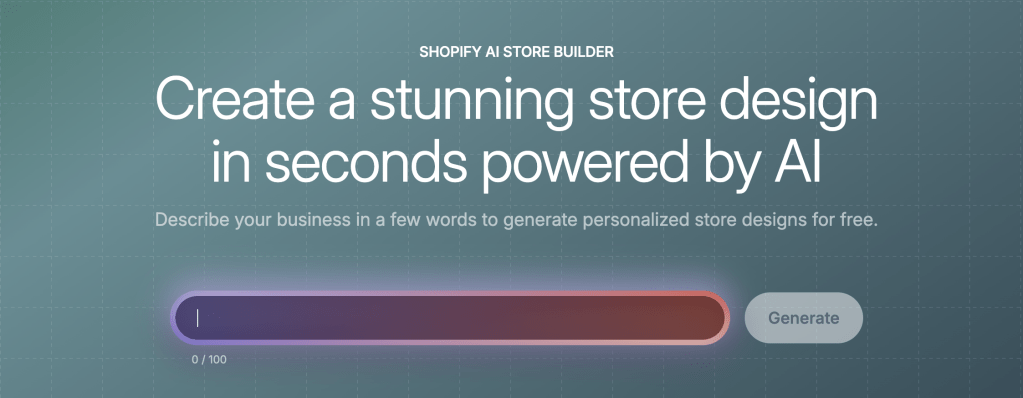
The AI Store Builder lives inside the Shopify dashboard. Merchants type a short description of their brand or products, and the tool generates three distinct store designs to choose from. These go well beyond basic wireframes. Each layout comes pre-populated with product pages, images, descriptions, navigation, and SEO-friendly content.
There is no limit on how many designs you can generate, and the feature is free. Once you select a layout, you customize it using Shopify’s standard store editor. The AI handles the initial design and content structure. The merchant handles refinement.
The builder is included with every Shopify plan at no additional cost. Shopify’s standard pricing (a 3-day free trial followed by $1/month for the first three months) applies to the platform itself, but the AI builder carries no separate fee.
Likes
The most notable thing about the builder is the speed. The barrier to getting a professional-looking storefront has dropped to near zero. A merchant can go from a rough idea to a live, functional store layout in no time. e.
This is not a generic website builder with a Shopify logo on it. Generated layouts include commerce-specific elements like checkout flows, product recommendation sections, and mobile-optimized designs. Shopify built this on top of data from millions of live stores, so the output tends to follow patterns that actually convert rather than ones that simply look attractive.
The visual quality of the generated designs is solid. Layouts feel modern and professional. The AI adapts structure, imagery, and content to match the business description provided, which means two different prompts will produce meaningfully different results.
Dislikes
The generated content, while functional, tends to read like exactly what it is. AI-written product descriptions and page copy will get a store across the finish line, but they lack the specificity and voice that make a brand feel like a brand. Any merchant planning to keep the store long-term should expect to rewrite or heavily edit most of the copy.
There is also limited control over the generation process itself. You provide a short description and get back three layouts. There is no way to steer the AI toward a particular theme style, specify a color palette, or request a specific page structure. The only real lever is the prompt, and even well-crafted prompts can produce results that miss the mark in ways that are hard to predict or correct without starting over.
What Merchants and Reviewers Are Saying
The general sentiment is positive, particularly around speed and ease of use. Multiple testers have highlighted how quickly the tool moves from nothing to a working storefront. Merchant reviews on the Shopify App Store praise the setup experience and design quality.
The most consistent criticism is that generated designs can feel somewhat templated without additional customization. Experienced merchants tend to treat the AI output as a strong foundation rather than a finished product, which appears to be the right approach.
Third-party reviewers have compared the native builder against dedicated AI store tools like Atlas, Forge, and DropMagic. The general conclusion is that Shopify’s version wins on integration and cost (free and native to the platform), while the third-party tools offer more specialized features like AI-generated product photography or dropshipping-specific page layouts. For most brands building a standard e-commerce store, the native builder covers the essentials.
One useful observation from several reviewers is that the AI Store Builder is strongest for new stores. Merchants with established stores, custom themes, and years of content will find it less relevant. The tool is really designed to collapse that difficult “blank canvas to functioning store” phase that slows down so many launches.
Tips for Getting Better Results
Be specific in the business description. The quality of the output is directly tied to the quality of the input. A vague prompt like “clothing store” will produce something generic. A prompt like “an online boutique selling sustainable women’s clothing for eco-conscious millennials who value ethical fashion” will produce something far more tailored. Include details about the target customer, brand personality, and any aesthetic preferences.
Include visual direction. Prompts that specify a design sensibility perform noticeably better. Something like “clean, minimalist design with earth tones, generous white space, and large product photography” gives the AI much more to work with than an open-ended description.
Generate multiple versions. There is no cost to generating additional designs, so there is no reason to settle on the first output. Running the same prompt multiple times will produce different results. Running slightly modified prompts will show how changes in the description affect the design direction. Treat the process as a brainstorming exercise.
Plan to customize after generation. The builder is not a replacement for knowing a brand and its customer. Merchants should use the generated store as a foundation, then go through every page and refine. Swap in original product photography. Rewrite descriptions in the brand’s own voice. Adjust the layout to fit the actual product catalog. The best results come from merchants who use the AI to skip the blank-page problem and then invest real effort in making the store their own.
Preview on mobile before launch. The generated designs are mobile-responsive by default, which is a good baseline. But any customizations made after generation may not carry over cleanly to mobile. Given that the majority of e-commerce traffic now comes from mobile devices, this step should be treated as mandatory.
Test with real product data. Merchants evaluating whether a new product line or niche has potential should load in their actual product titles, descriptions, and images rather than relying on AI-generated placeholder content. The store will look and feel more realistic, and it becomes much easier to judge whether the layout actually works for a specific catalog.
All in All
Shopify’s AI Store Builder does one thing well. It eliminates the friction of going from an idea to a functional store. The tool is free, native to the platform, and produces genuinely solid output for a first pass.
It will not replace thoughtful brand building, custom design work, or the strategic decisions that make a store convert at scale. But that was never its purpose. The tool exists to get merchants past the starting line faster, and it delivers on that promise.
For anyone launching a new store, testing a concept, or looking to move past the setup phase more quickly, the AI Store Builder is worth trying. Generate a few designs, evaluate what resonates, and build from there.


Leave a Reply